 OpenModelHub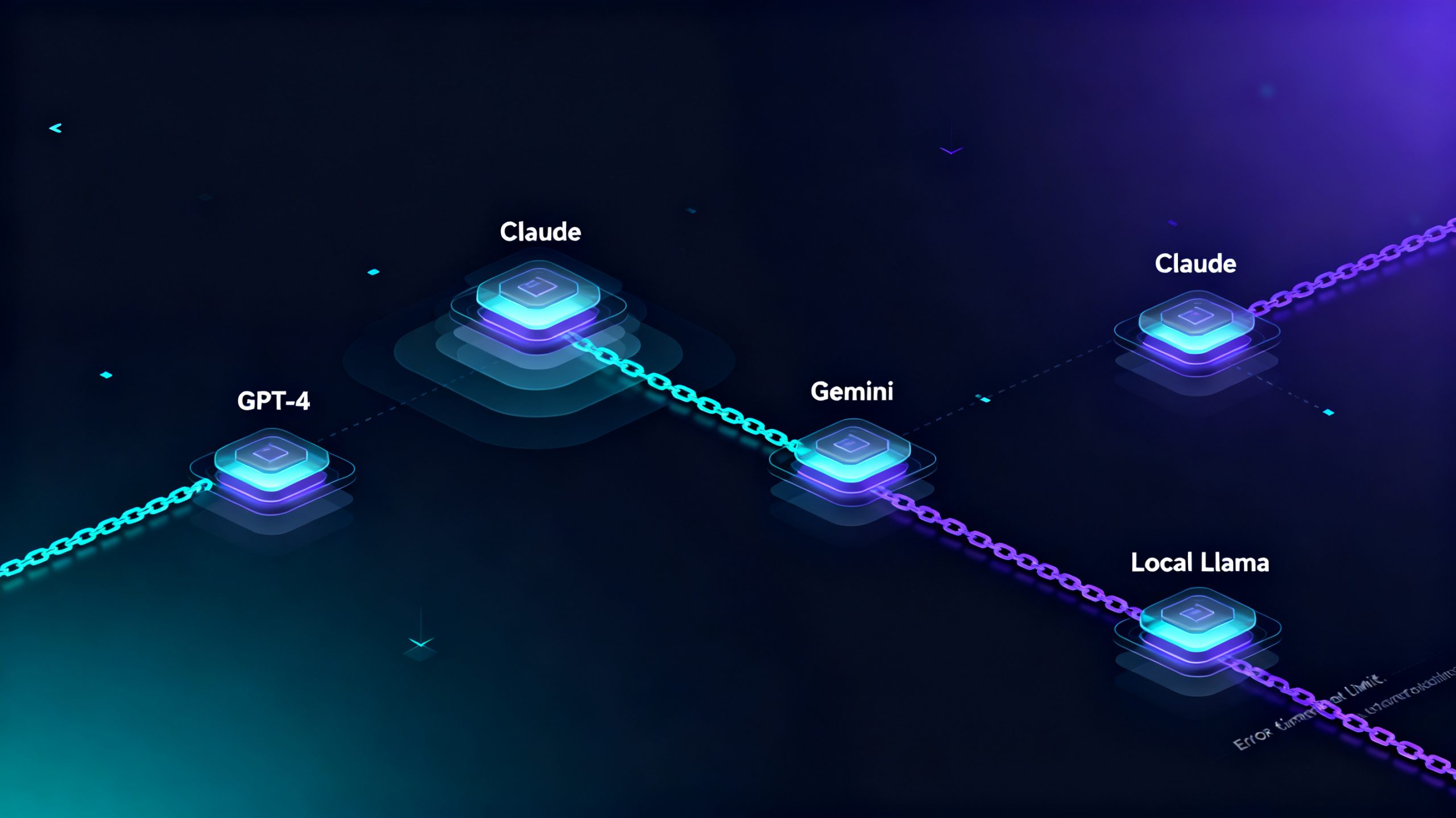
How to Set Up Multi-Model Fallback Failover on RouteAI: Complete Production Configuration Tutorial
Running production AI applications relying solely on a single LLM provider creates fatal service failure risks. This RouteAI tutorial introduces multi-model automatic fallback failover, covering Python SDK code, YAML routing configuration, custom retry policies, production optimization tips and common errors to build zero-downtime AI services with cost control.
Running production AI applications relying solely on a single LLM provider creates a fatal single point of failure for your business-facing AI services. Sudden 429 rate limit blocks, 5xx server outages, network request timeouts, and unstable model response quality can instantly crash chatbots, automated workflow pipelines, and customer AI assistants. The RouteAI multi-model production gateway solves this industry-wide pain point with native multi-tier fallback failover logic, enabling fully automatic model switching without manual human intervention. This tutorial covers RouteAI fallback setup, SDK code, YAML routing config, retry tuning, production standards and common development errors.
Why Production LLM Workloads Mandate Multi-Model Fallback
Most AI developers start with one LLM for testing, but single-model architecture fails under production traffic. LLM providers impose quota limits, regional outages and request throttling, cutting off user AI access entirely.
RouteAI ordered backup model chains avoid service downtime: set primary high-speed models, secondary backup models and local open-source models as final safeguards. When the primary model fails, the gateway forwards requests to the next available model without user perception of interruption.
Fallback routing also reduces long-term API costs. Use cheap lightweight models for daily simple queries, and premium powerful models only as backups, balancing cost and stability.
Core RouteAI Fallback Trigger & Execution Modes
RouteAI fallback only activates on recoverable failures to save token costs, with two operation modes:
- Sequential Failover (Recommended): Test models one by one by priority, only call backups after primary failure to control billing, default for most deployments.
- Parallel Fallback: Send requests to all backup models simultaneously, return the first valid response, suitable for low-latency customer chat, higher token consumption.
Auto-trigger failure rules: 5xx server errors, customizable request timeouts, 429 rate limit errors, optional low-quality model output interception.
Quick Start: Python SDK Minimal Implementation
Add one fallback parameter in chat completion requests, all cross-provider switching and error processing run on RouteAI server side.
import routeai
client = routeai.Client(api_key="sk-xxxxxx-routeai-project-secret-key")
response = client.chat.completions.create(
model="gpt-4o",
fallback=["claude-3-5-sonnet", "gemini-1.5-flash"],
messages=[{"role": "user", "content": "Explain how multi-model LLM fallback prevents production AI outages"}]
)
print(response.choices[0].message.content)
If GPT-4o times out or hits rate limits, RouteAI automatically switches to Claude, then Gemini. All failover records are stored in the dashboard for troubleshooting.
Advanced Custom Retry Policy
Custom rules prevent repeated requests to unstable LLM services during regional breakdowns:
fallback_settings = {
    "providers": ["openai", "google", "anthropic"],
    "trigger_errors": ["500", "502", "503", "timeout", "rate_limit"],
    "max_retries": 3,
    "backoff_factor": 2.0
}
Exponential backoff reduces request frequency to avoid API permanent bans.
Production YAML Routing Config
Define full fallback sequences in routes.yaml for unified CI/CD deployment across environments, independent timeout for each model:
route_name: production-public-ai-chat
models:
- provider: openai
  model: gpt-4o-mini
  timeout: 25
- provider: anthropic
  model: claude-3-opus
  timeout: 30
- provider: local
  model: llama-3-8b-instruct
  timeout: 20
Priority follows YAML order: low-cost mini model first, premium cloud model second, local Llama as offline last resort. Validate config before release:
routeai validate --config routes.yamlProduction Best Practices
- Sort models by cost & speed: lightweight models for daily traffic, high-end models only as backups to cut API bills.
- Separate timeout thresholds: short limits for small fast models, longer waiting time for heavy reasoning LLMs to avoid false switching.
- Enable endpoint health detection: auto remove offline/rate-limited models from fallback queue to reduce useless requests.
Common Critical Mistake
Catching all generic exceptions will waste backup tokens on client-side invalid inputs. Only capture infrastructure errors (timeout, 5xx, 429) instead of blanket exception capture.
Final Takeaways
Multi-model failover is mandatory for commercial customer-facing AI services. RouteAI unifies all LLM vendor APIs under one endpoint, with fully automatic fallback to eliminate custom error-handling development work.
Deploy stable, low-cost AI production pipelines with RouteAI free tier: fastrouteai.com