 OpenModelHub
Deploying multiple LLM models in production is no longer a luxury—it’s a necessity for achieving cost efficiency, latency targets, and fallback resilience. Yet, without a robust load balancing strategy, your API gateway can quickly become a bottleneck, leading to uneven traffic distribution and degraded performance. That’s where RouteAI comes in. In this post, we’ll walk through exactly how to configure RouteAI for multi
Understanding RouteAI’s Multi-Model Load Balancing Architecture
RouteAI’s multi-model load balancer distributes inference requests across a pool of LLM endpoints—whether they are OpenAI, Anthropic, open-source models, or self-hosted instances—to maximize throughput, minimize latency, and control costs. At its core, the architecture uses a weighted round-robin coupled with adaptive health checks and real-time performance metrics (e.g., p99 latency, error rate, token-per-second throughput). Each model endpoint is registered with a set of routing policies that can be fine-tuned per deployment environment.
When a request arrives, RouteAI evaluates the current state of all available models and selects the best target based on the configured strategy—for example, latency-first, cost-minimization, or fallback redundancy. The load balancer also tracks quota limits (e.g., API rate limits per provider) and automatically shifts traffic to healthy alternatives when a provider throttles or fails. This ensures that production applications remain resilient even when individual model providers experience outages.
Below is a minimal configuration snippet that defines a multi-model pool with two providers and a fallback policy:
config = {

    "strategy": "latency_first",

    "models": [

        {"name": "gpt-4", "provider": "openai", "weight": 3},

        {"name": "claude-3", "provider": "anthropic", "weight": 2}

    ],

    "fallback": {"enabled": True, "max_retries": 2}

}
This configuration tells RouteAI to prefer the fastest model while maintaining a 3:2 traffic ratio between GPT-4 and Claude-3. If the primary model fails, the request is automatically retried on the secondary model up to two times. Combined with RouteAI’s agent-based monitoring, this architecture provides a production-grade gateway that adapts to traffic patterns without manual intervention.
Prerequisites for Production Deployment of RouteAI Gateway
Before you configure RouteAI for multi-model LLM API load balancing, ensure your production environment meets the following requirements. First, you need access to the target LLM API endpoints (e.g., OpenAI, Anthropic, Cohere, or self-hosted models) and their corresponding API keys. RouteAI expects these keys to be stored securely—use environment variables or a secrets manager, never hardcode them. Second, verify that your network allows outbound HTTPS connections to the LLM providers and that inbound traffic to the RouteAI gateway is properly routed (e.g., via a reverse proxy or Kubernetes ingress).
You’ll also need a Python environment (3.8+) with the RouteAI client installed. For production, we recommend using a virtual environment and pinning the RouteAI version to avoid unexpected breaking changes. Below is a minimal Python snippet to initialize the RouteAI gateway with a multi-model configuration:
from routeai import Gateway

gateway = Gateway(

    models=["gpt-4", "claude-3-opus", "command-r"],

    strategy="latency_based",

    api_keys=os.environ["LLM_KEYS"]

)
Finally, ensure your load‑balancing database (e.g., Redis or PostgreSQL) is reachable from the gateway instance, as RouteAI uses it to track request latencies and health status across models. Without these prerequisites, the gateway cannot perform intelligent routing or failover.
Step-by-Step Configuration of LLM API Routing Rules
To configure RouteAI for multi-model LLM load balancing, you first define routing rules that map request attributes (e.g., model name, latency budget, cost tier) to backend endpoints. Start by creating a configuration file—typically routeai-config.yaml—that specifies a list of routes and backends. Each route can use a match condition, such as model: or priority:, and a strategy like round-robin or least-connections.
For example, you might route high‑priority inference requests to faster, more expensive models (e.g., GPT‑4) and lower‑priority requests to cost‑efficient ones (e.g., Llama 3). The following snippet demonstrates a minimal Python‑based configuration using the RouteAI SDK:
route = RouteAI(config_path="routeai-config.yaml")

route.add_route(match={"model": "gpt-4"}, backend="openai-gpt4", strategy="round-robin")

route.add_route(match={"model": "llama-3"}, backend="huggingface-llama3", strategy="least-connections")
After defining routes, activate the gateway with route.start(). RouteAI will automatically distribute requests, monitor health, and failover if a backend becomes unresponsive. For production, ensure you set timeouts, retry limits, and rate limits per route to prevent cascading failures. Test your configuration against a staging environment before deploying, and use RouteAI’s built‑in dashboard to observe request distribution and latency metrics in real time.
Optimizing Failover and Fallback Strategies for High Availability
In production, relying on a single LLM endpoint is a risk — network blips, rate limits, or model degradation can cascade into user-facing failures. RouteAI’s multi-model load balancing allows you to define a prioritized pool of providers, so when a primary model returns an error or exceeds a threshold latency, the gateway automatically fails over to the next healthy endpoint. This is not just about redundancy; it’s about intelligent fallback that respects your business logic.
To configure a robust fallback strategy, you can define a failover_policy in your RouteAI configuration. For example, you might set a primary model (e.g., GPT-4) and a secondary (e.g., Claude 3) with a timeout of 5 seconds. If the primary fails, RouteAI retries the request against the secondary without exposing the failure to the client. The snippet below shows the Python SDK approach:
route = RouteAI.failover(

    models=["gpt-4", "claude-3"],

    timeout=5,

    retry_policy={"max_retries": 2, "backoff": "exponential"}

)
Additionally, consider implementing a fallback chain that includes cheaper or faster models for non-critical requests. For instance, if all premium models are unavailable, RouteAI can divert traffic to a local OSS model like Llama 3, ensuring availability even under extreme conditions. Pair this with health-check probes and circuit breakers to avoid hammering degraded endpoints. The key is to test your failover scenarios before production — simulate timeouts and 5xx errors in staging to confirm your fallback hierarchy works seamlessly. With RouteAI, high availability becomes a configuration detail, not a fire drill.
Monitoring and Scaling RouteAI for Multi-Model Workloads
Once you have configured RouteAI to balance traffic across multiple LLM providers (e.g., OpenAI, Anthropic, Cohere), effective monitoring becomes critical. You need to track per-model latency, error rates, and token usage to detect degradation before it impacts users. RouteAI exposes Prometheus-compatible metrics for each backend endpoint, including request duration, failure count, and rate-limiting backoff events. Set up dashboards in Grafana to visualize these metrics, and configure alerts for spikes in p99 latency or sudden drops in success rate.
When scaling, consider that different models have vastly different throughput characteristics. A lightweight model like GPT-3.5-turbo can handle thousands of requests per minute, while a large model like GPT-4 may require more cautious concurrency. RouteAI supports per-backend concurrency limits and automatic retry with exponential backoff. Use the max_concurrency parameter to cap the number of in-flight requests to each provider, and adjust based on observed rate limits. For example:
routeai.configure_backend(

    name="openai-gpt4",

    max_concurrency=10,

    rate_limit_rpm=200

)
This prevents overwhelming a single provider while maintaining high throughput across others. Finally, implement horizontal scaling by running multiple RouteAI instances behind a load balancer, using a shared Redis store for connection state and rate-limit counters. This ensures your multi-model gateway remains resilient under production traffic spikes.
Start Building with RouteAI Today
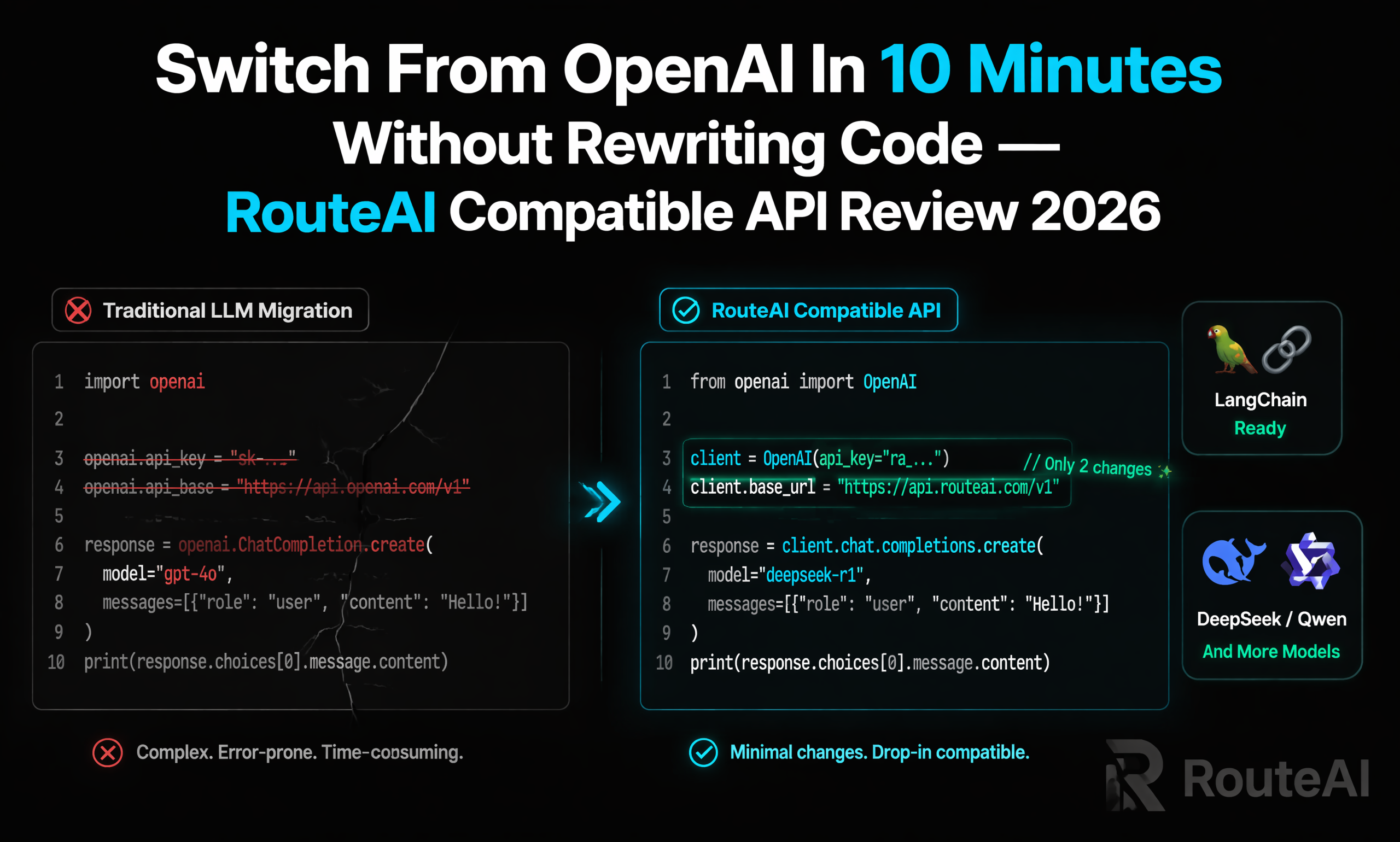
Ready to simplify your LLM infrastructure? RouteAI gives you access to multiple top-tier models through a single, OpenAI-compatible API endpoint. No vendor lock-in and automatic failover built in. Get started at fastrouteai.com.