 OpenModelHub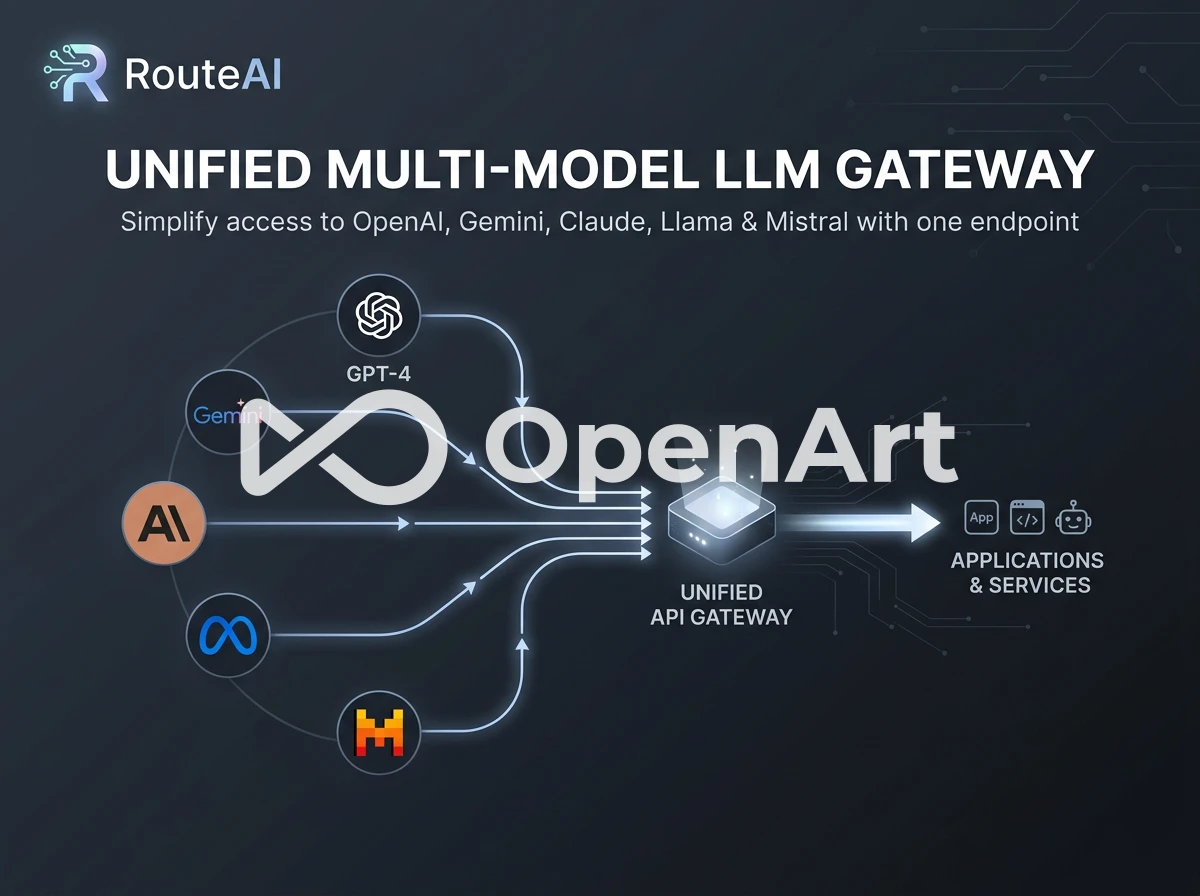
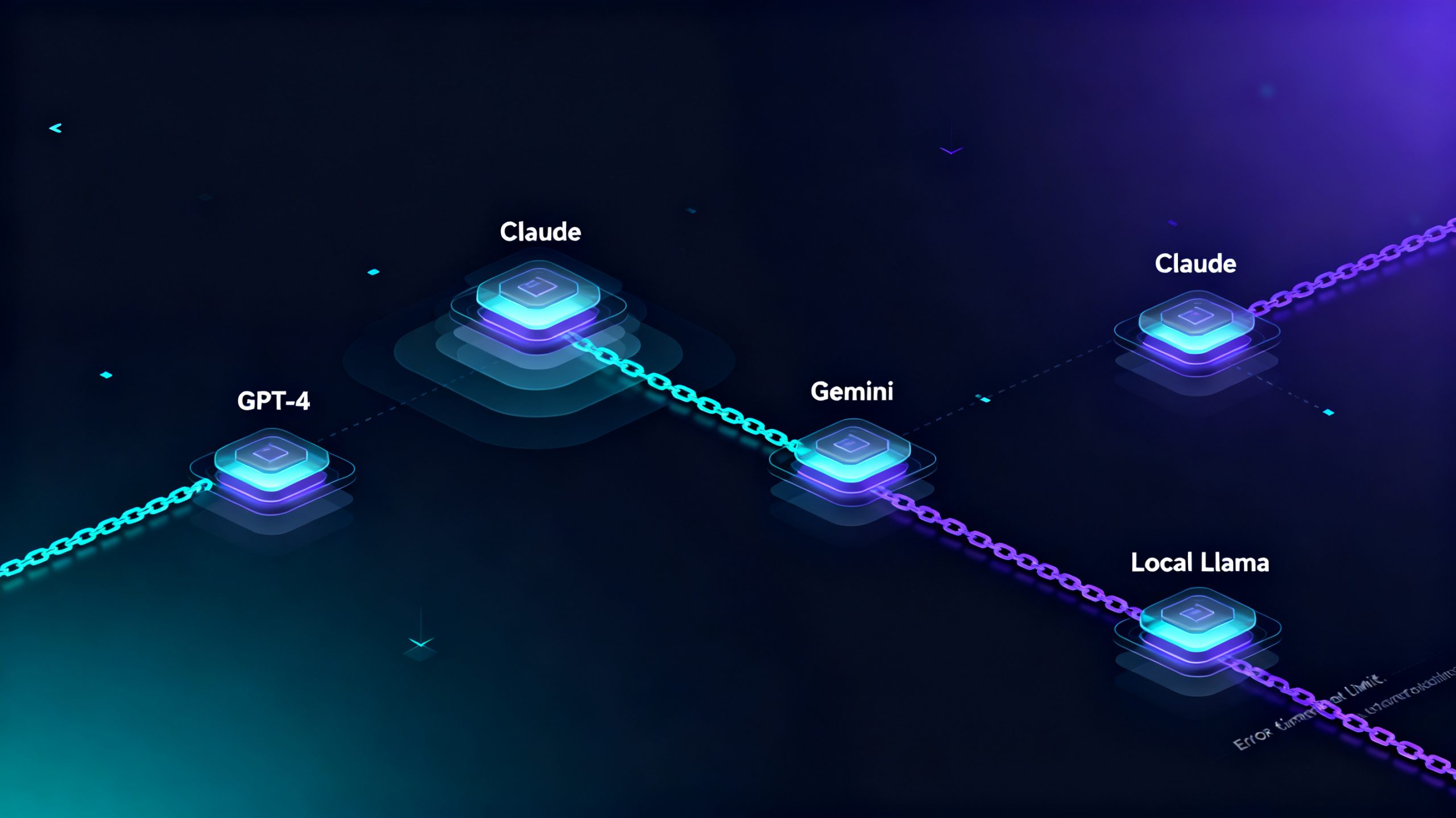
If you’re building an AI platform that needs to switch between multiple LLMs — DeepSeek for reasoning, Qwen for long context, Kimi for code generation, GLM for Chinese business text — you’ve definitely felt the chaos: separate API keys for every provider, different request formats you have to rewrite code for, scattered billing dashboards, and manual logic to switch models mid-session. Last month we spent 8 engineering hours refactoring our backend just to integrate one extra open-source LLM, and every new model adds more messy infrastructure code that’s hard to maintain. A unified LLM gateway solves all of these scattered model management headaches for developers.
The Hidden Cost Of Managing Separate LLM Endpoints
Most engineering teams underestimate how much overhead comes from running multiple large language models at the same time. Every independent model provider brings its own unique API schema, authentication rules, rate limit policies and error response codes. Your frontend and backend code need custom branches for every single model you integrate, which bloats your codebase and creates more bugs every time you add or swap an AI provider.
Beyond code complexity, you also lose cost control: each LLM has its own balance, separate invoices and no unified overview of total token spending. When traffic shifts from one model to another, you can’t easily redistribute requests to cut costs or improve latency without building custom routing logic from scratch. For small to mid-sized teams without dedicated DevOps, this multi-model management work eats up weeks of development time that could go to product features instead of infrastructure glue code.
Core Benefits Of RouteAI As A Unified Multi-Model LLM Gateway
RouteAI builds a single universal API layer on top of dozens of mainstream LLMs, unifying all request formats to match standard OpenAI SDK syntax. You only integrate one endpoint once, and you can freely switch or parallel-call DeepSeek, Qwen, GLM, Kimi and more without rewriting any backend logic. Here’s how it streamlines multi-model development:
1. Single Endpoint For All Supported LLMs, Consistent Syntax
No matter which model you target, all API requests follow identical OpenAI chat completion formatting. You only need one API key for RouteAI, and specify the target model name inside the request body. We integrated 4 different LLMs into our production stack in under an hour using our existing Python chatbot code — zero schema refactoring required, and every model returns uniform error codes your app already handles.
2. Dynamic Request Routing & Load Balancing Across Models
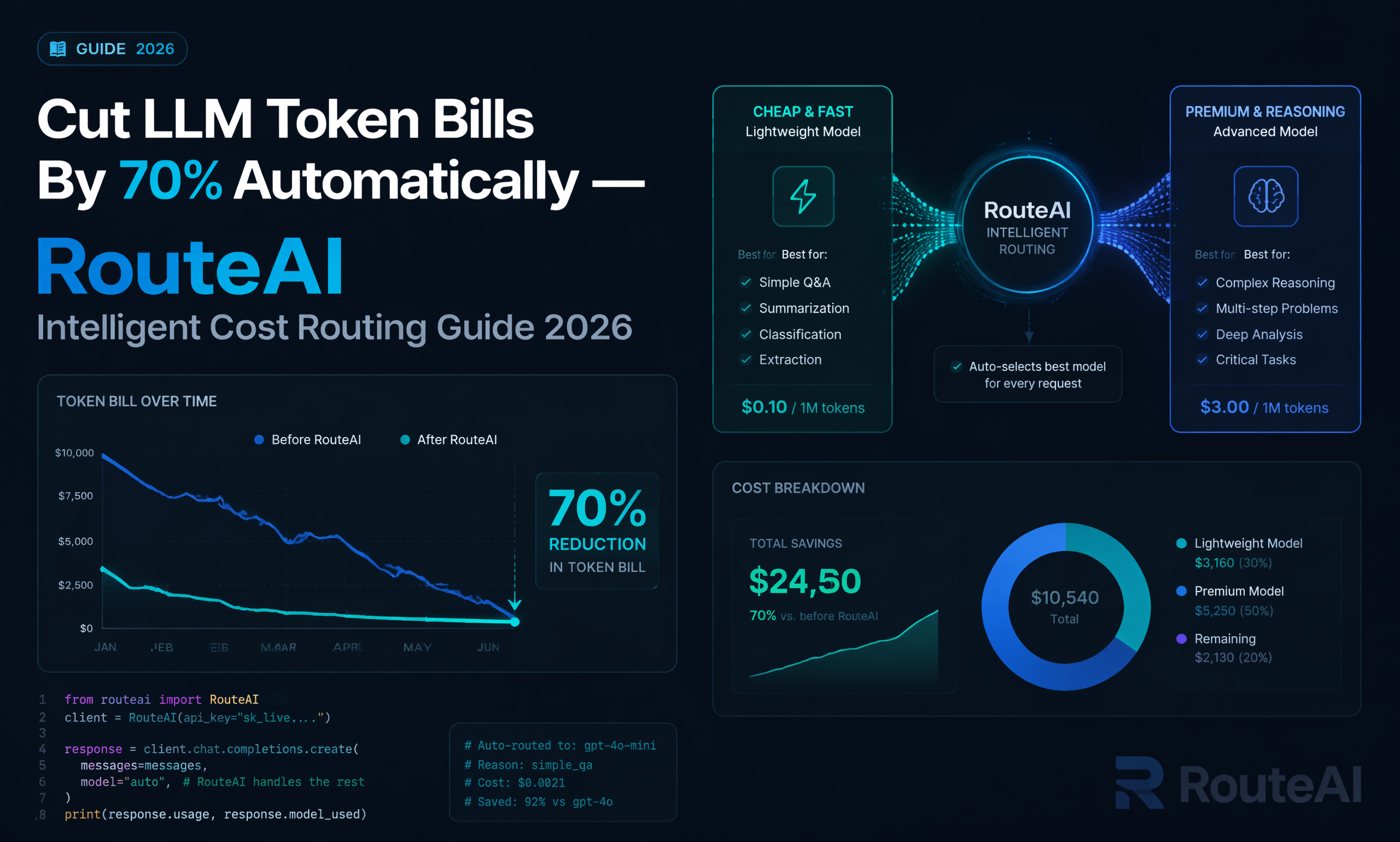
You can set custom routing rules to distribute traffic automatically: route low-complexity user queries to cheaper lightweight models, send complex reasoning tasks to high-performance DeepSeek V4 Pro, and shift overflow traffic to spare Qwen instances when one model hits rate limits. The gateway handles all load balancing transparently to your application, with no extra conditional code on your end.
3. One Unified Dashboard For All Model Billing & Usage Metrics
Instead of logging into 5 separate provider consoles to check token consumption, latency and error logs, all usage data aggregates inside your RouteAI admin panel. You can filter costs by individual model, track per-request latency breakdowns, and forecast monthly spending without cross-referencing multiple billing statements. Your account balance covers all model calls, no separate top-ups for every LLM vendor.
4. Instant Access To New Released Models Without Integration Work
As soon as new open-source or commercial LLMs launch, RouteAI adds support on the same day. You can start calling the latest code or long-context models immediately by just updating the model parameter in your existing API call, skipping lengthy API integration, documentation review and QA testing cycles required with standalone providers.
5. Automatic Format Normalization For Cross-Model Compatibility
The gateway converts prompt templates, system instructions and output formatting to match each underlying model’s native requirements behind the scenes. If you swap from Kimi to GLM mid-project, your prompt engineering logic stays identical on your side, eliminating inconsistent output quality caused by differing prompt syntax rules across model vendors.
Right vs Wrong: How Teams Waste Engineering Time On Multi-Model Workflows
After working with dozens of AI startup backend teams, these three inefficient workflows appear repeatedly when developers manage LLMs independently:
❌ Wrong approach 1: Write separate API client functions, authentication logic and error handlers for every single LLM provider, bloating backend code and increasing bug risk every time a new model is added.
✅ Right approach: Use a unified gateway like RouteAI with one shared client implementation, switch models only by changing a single string parameter inside requests.
❌ Wrong approach 2: Manually build traffic distribution scripts to shift requests between models to avoid rate limits, requiring constant maintenance as traffic volumes grow.
✅ Right approach: Configure native built-in routing rules on RouteAI’s dashboard, fully automatic load balancing without custom scripts or server logic.
❌ Wrong approach 3: Maintain separate billing balances, track token costs across multiple platforms, and manually calculate combined monthly AI spending.
✅ Right approach: View consolidated cross-model usage, latency and cost data in one single admin panel with unified account credit covering all LLM calls.
Integrate Multi-Model RouteAI In 3 Simple Steps
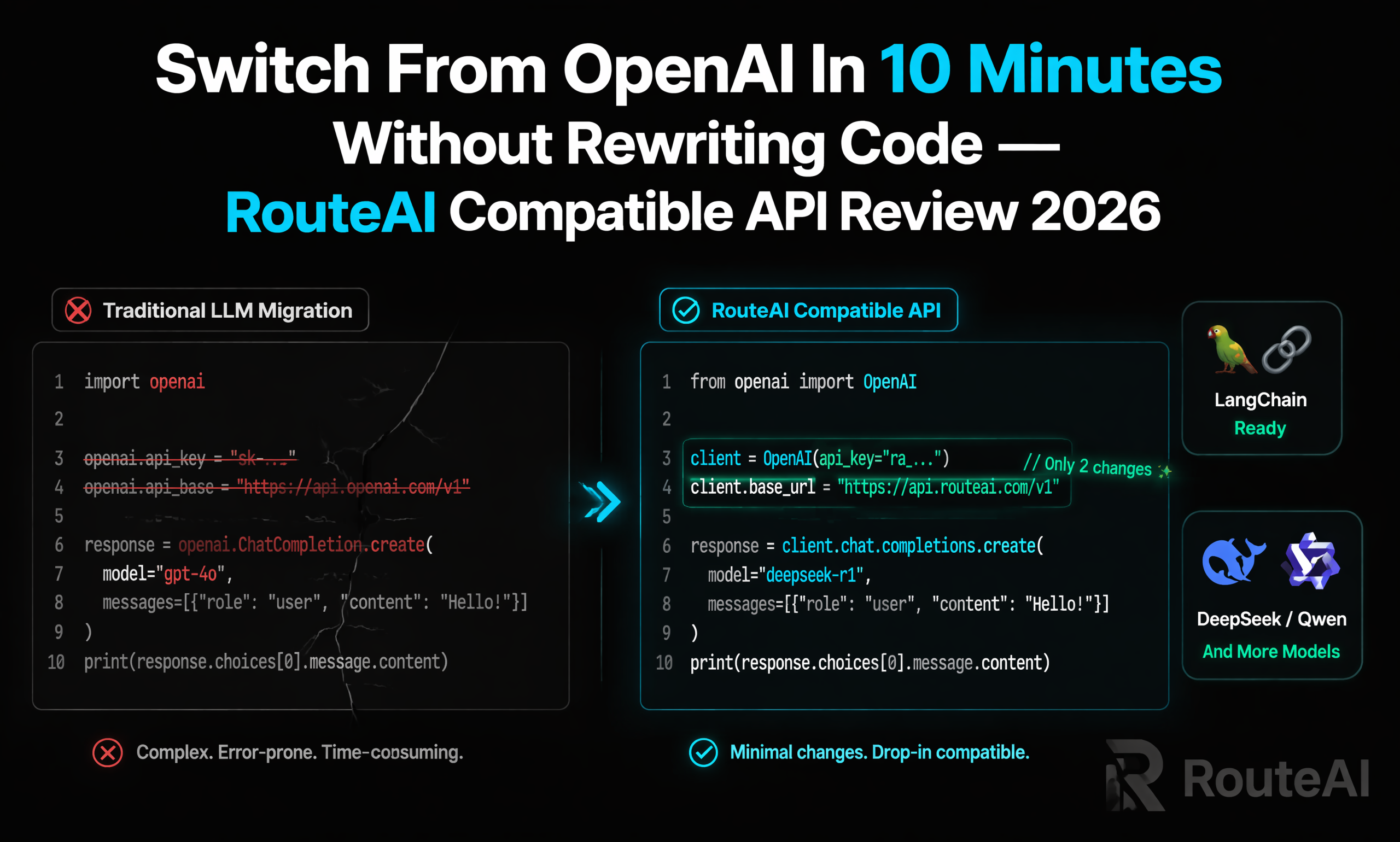
You don’t need complex backend refactoring to switch your stack over to RouteAI’s multi-model gateway, the full workflow takes under 10 minutes to implement:
- Create your RouteAI account and generate a single universal API key in the dashboard
- Replace your old provider base URL with RouteAI’s unified endpoint, keep your existing OpenAI SDK code unchanged
- Adjust the “model” field inside your API call to switch between DeepSeek, Qwen, Kimi and all supported LLMs instantly
Production-ready Python example you can drop directly into your backend:
from openai import OpenAI

# Only one unified client for ALL models
client = OpenAI(
    api_key="YOUR_ROUTEAI_UNIFIED_API_KEY",
    base_url="https://api.fastrouteai.com/v1"
)

# Call DeepSeek reasoning model
deepseek_response = client.chat.completions.create(
    model="deepseek-v4-pro",
    messages=[{"role": "user", "content": "Solve complex business logic reasoning"}]
)

# Switch to Qwen long context model with zero code changes
qwen_response = client.chat.completions.create(
    model="qwen-3-72b-long",
    messages=[{"role": "user", "content": "Analyze 100k word long business document"}]
)
print(qwen_response.choices[0].message.content)
All models share this identical code structure, only the model name string changes, drastically cutting down backend maintenance work for multi-model AI applications.
Who Needs A Unified Multi-Model LLM Gateway?
This all-in-one routing system is built for teams running multi-model AI products: general-purpose AI chat platforms that offer users multiple model choices, code assistant tools switching between code-specialized LLMs, enterprise internal AI workflows mixing Chinese and English large models, AI SaaS services that dynamically select low-cost models for different user tiers, and research teams testing dozens of open-source LLMs without repeated integration overhead.
If you’re tired of juggling dozens of separate LLM API accounts, rewriting client code for every new model release, and struggling to track fragmented usage and cost data, test RouteAI’s multi-model gateway today. You can test parallel model routing with a small initial balance and scale up as your multi-model traffic grows. For custom enterprise routing rules or dedicated model capacity, contact the team via WhatsApp or official Telegram business channel for tailored technical support.
My core tip for teams managing multiple LLMs: standardize all model calls through a single gateway early in development, before your codebase accumulates separate client logic for every provider. RouteAI’s unified endpoint eliminates repetitive integration work, centralizes all billing and monitoring, and lets you iterate faster by swapping LLMs on demand without backend deployments. Instead of wasting engineering resources maintaining fragmented LLM infrastructure, you can focus entirely on building unique user-facing AI features for your platform.