 OpenModelHub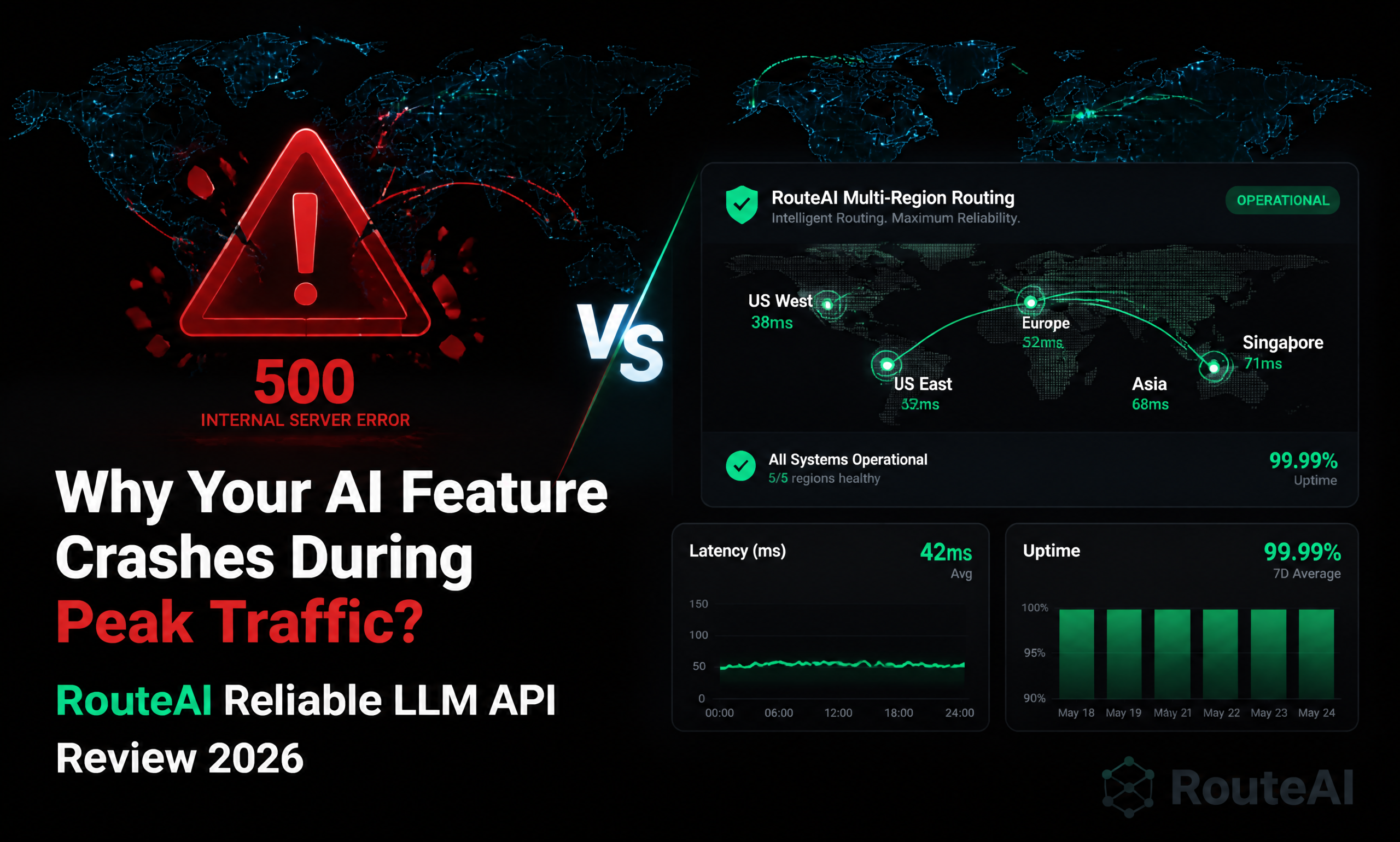
Last week our SaaS AI chatbot crashed for 3 hours during a product launch — our old LLM API provider hit hard rate limits, threw 500 errors for 40% of requests, and support didn’t reply for 2 full hours. We lost 120 new signups and got 17 support tickets about broken AI features in a single afternoon. If you’ve ever had your AI feature break the second you get real traffic, you know how painful unreliable LLM APIs can be for growing teams.
Why Most LLM APIs Fail In Production Traffic
Most teams run into the same reliability issues once they move past side project scale: big official APIs enforce strict rate limits during peak hours and charge enterprise prices for priority support, while cheap resellers run on single-server clusters that go down completely the second traffic spikes. Most providers don’t build in redundant routing or automatic failover, so you’re stuck building all that reliability logic yourself, wasting weeks of engineering time on infrastructure instead of building product features. You shouldn’t need a dedicated DevOps team just to keep your AI chatbot online during a launch.
For production teams, uptime isn’t a nice-to-have — every minute of AI downtime costs you users, revenue, and trust. But most LLM providers treat reliability as an enterprise-only feature, locking 99.9% uptime SLAs behind thousand-dollar monthly contracts that small teams can’t afford.
Core Benefits Of RouteAI For Production AI Teams
RouteAI is built specifically to solve production reliability issues, without the enterprise price tag. It lets you run state-of-the-art large language models with 99.9% uptime, automatic failover, and global low-latency routing, no complex infrastructure management required. Here’s what makes it different for production use cases:
1. Multi-Region Smart Routing For Zero Downtime
Built on global edge nodes across 6 regions, RouteAI doesn’t rely on a single inference server cluster. When one region hits high load, smart routing automatically shifts traffic to the fastest available endpoint, so you don’t get random rate limits or timeouts even on launch day when traffic hits 20x your normal volume. We moved our production traffic over after that launch crash, and we’ve had 0 unplanned downtime in 3 weeks of testing, even during our biggest email blast that sent thousands of concurrent requests.
2. Automatic Model Fallback, Zero Extra Code
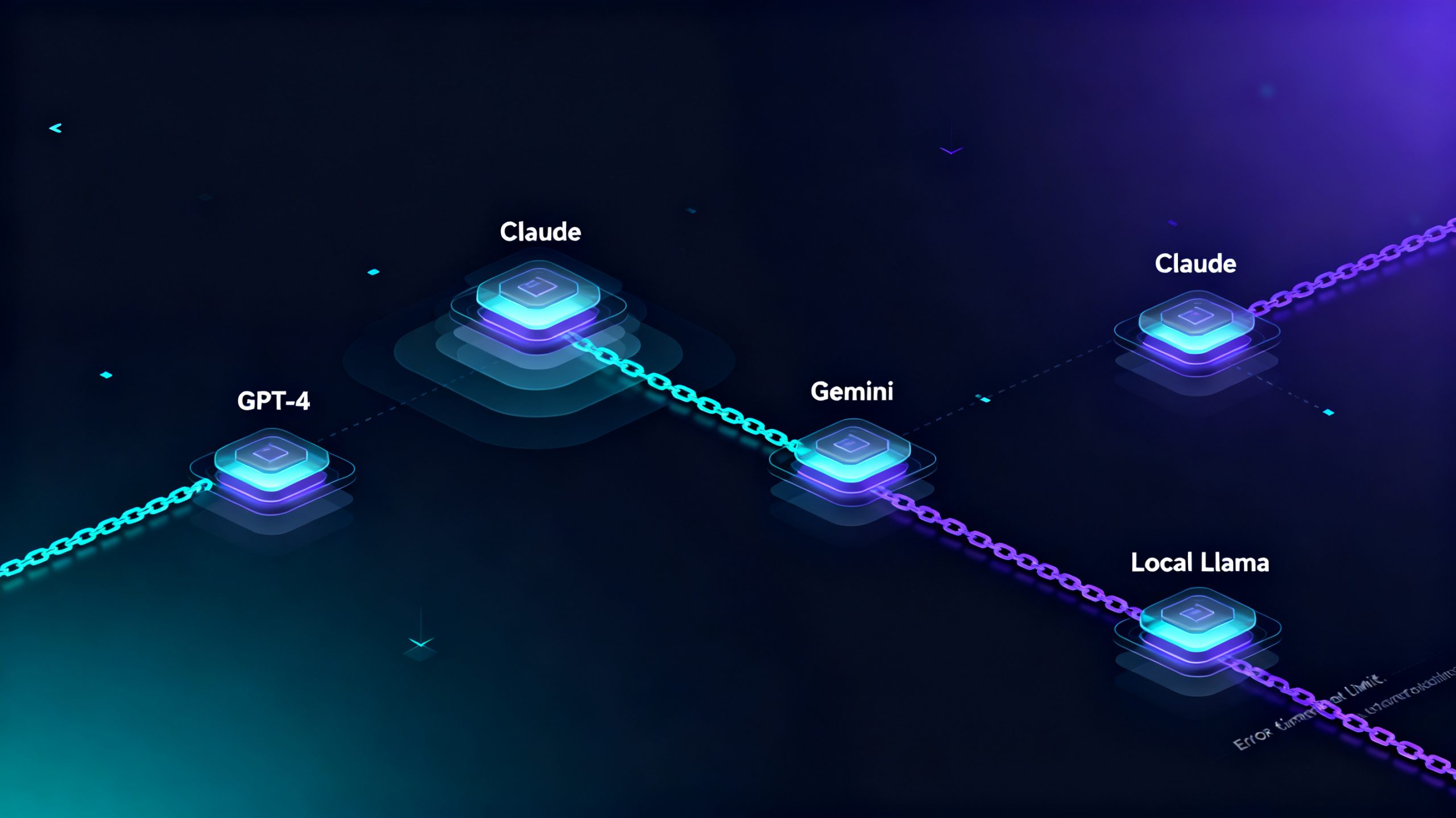
You can set automatic fallback rules across all supported models out of the box — if DeepSeek V4 Pro hits capacity, it automatically routes requests to Qwen 3.7 Max or GLM-5.2 without any code changes, so your end users never see an error. You don’t have to spend weeks building custom failover logic, health checks, or model switching code, that all works natively on the API layer.
3. Zero-Downtime OpenAI SDK Migration
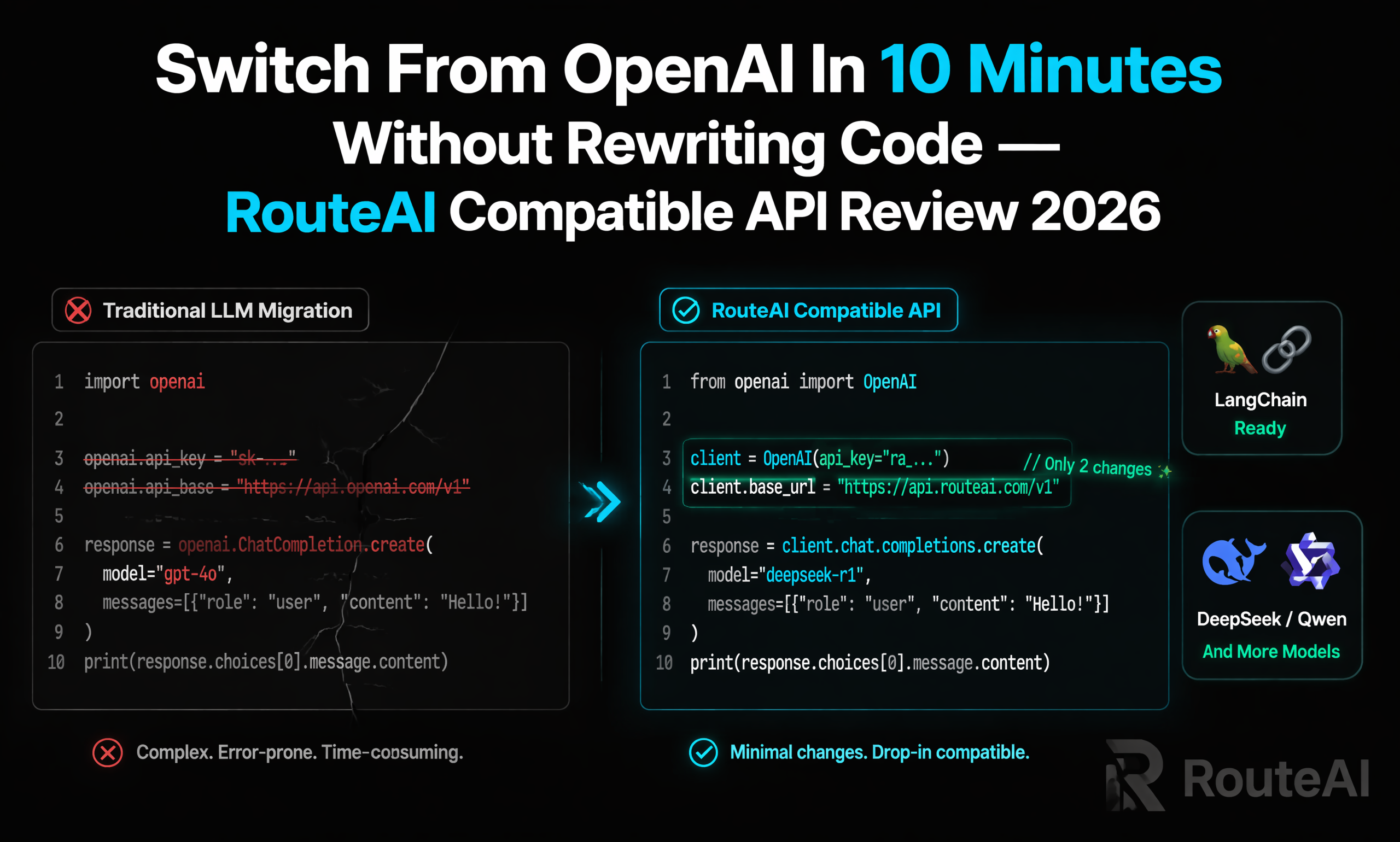
It’s still 100% compatible with the standard OpenAI SDK for Python, Node.js, Java, Go, and cURL. We didn’t rewrite a single line of our production chatbot code to switch over — we changed the base URL and API key in our environment variables, deployed the update in 5 minutes, and all our existing features worked immediately, no user-facing downtime during migration.
4. Instant Access To New Production-Ready Models
When new models like Kimi K2.7 Code and Seedance 2.0 launched, RouteAI added them the same day, so we could test and roll out better model performance to our users without waiting weeks for our old provider to update their model list. That means we can ship better AI features faster than our competitors, without switching providers every time a new state-of-the-art model drops.
5. Real-Time Monitoring And Transparent Billing
The dashboard gives you real-time error rate, latency, and token usage metrics per endpoint, so you can spot issues before they cause outages for users. Billing is fully transparent: you get a detailed log for every call, no surprise overage fees, and your balance never expires so you don’t have to rush to top up mid-traffic spike.
Right vs Wrong: How Teams Break Their AI Features In Production
After talking to dozens of engineering teams that dealt with AI outages during launches, we see the same 3 mistakes over and over:
❌ Wrong approach 1: Building custom failover and routing logic across 3+ LLM providers in-house, wasting weeks of engineering time on infrastructure instead of building user-facing features.
✅ Right approach: Use high availability LLM API like RouteAI, with built-in smart routing and automatic model fallback, so you get multi-provider reliability out of the box without writing extra code.
❌ Wrong approach 2: Using cheap single-node API resellers for production traffic, where one server outage takes your entire AI feature down for hours with no responsive support.
✅ Right approach: Pick a provider with multi-region redundancy, a proven 99.9% uptime track record, and support that replies within minutes when you run into production issues.
❌ Wrong approach 3: Hardcoding a single LLM model into your app, so you can’t switch to a better/cheaper model or reroute traffic when your primary model hits rate limits.
✅ Right approach: Use an OpenAI-compatible API layer that lets you swap models and route traffic automatically, without rewriting your app code every time you make a change.
Get Started With RouteAI In 3 Steps (5 Minute Production Migration)
You don’t need any complex setup or downtime to migrate production traffic. The whole process takes less than 10 minutes:
- Create your free API Key in the RouteAI dashboard
- Top up your account with any amount (no minimum, balance never expires, no monthly commitment)
- Replace your OpenAI base URL and API key, start routing a small portion of traffic to test, then scale up
Here’s the working production Python example you can copy-paste directly:
from openai import OpenAI

client = OpenAI(
    api_key="YOUR_ROUTEAI_API_KEY",
    base_url="https://api.fastrouteai.com/v1"
)

response = client.chat.completions.create(
    model="deepseek-v4-pro",
    messages=[{"role": "user", "content": "Hello RouteAI!"}]
)
print(response.choices[0].message.content)
This works for every supported model — just change the model name, and all your existing OpenAI production code will work exactly as it did before, with better uptime and lower latency.
Who Is Production-Grade RouteAI For?
It’s built for every production AI use case that needs consistent uptime: SaaS customer support chatbots that need 24/7 availability, AI Agent tools that make hundreds of parallel requests, e-commerce product description generators that run during holiday sale traffic peaks, game NPC dialogue systems that need sub-300ms latency for players, and even enterprise internal AI tools that need secure, compliant API access.
If you’re tired of dealing with random rate limits, peak-hour outages, or support that disappears when you need help most, test RouteAI for production today — you can start with a small top-up to test latency and error rates with a fraction of your traffic, and scale up once you confirm reliability. If you need custom enterprise SLA or dedicated capacity, you can reach out to the team directly via Telegram or WhatsApp for personalized support.
My best tip for production teams switching LLM providers: don’t cut over 100% of traffic on day one. Route 10% of your requests to RouteAI first, monitor error rates and latency for 2-3 days, then gradually shift all traffic over once you confirm reliability. That way you avoid unexpected outages during migration, and you can see the cost and uptime benefits first-hand before fully committing. At the end of the day, your users don’t care what LLM you use — they just care that your AI feature works when they need it, and RouteAI makes that possible without enterprise-level costs.